 RecVault
Listen in class, search afterwards
Writing down everything a lecturer says means missing half of it. Recording the class lets you pay attention while it is happening. The usual problem comes later: a folder of hour-long audio files with names like "Recording 14", and no way to find the five minutes that matter before an exam.
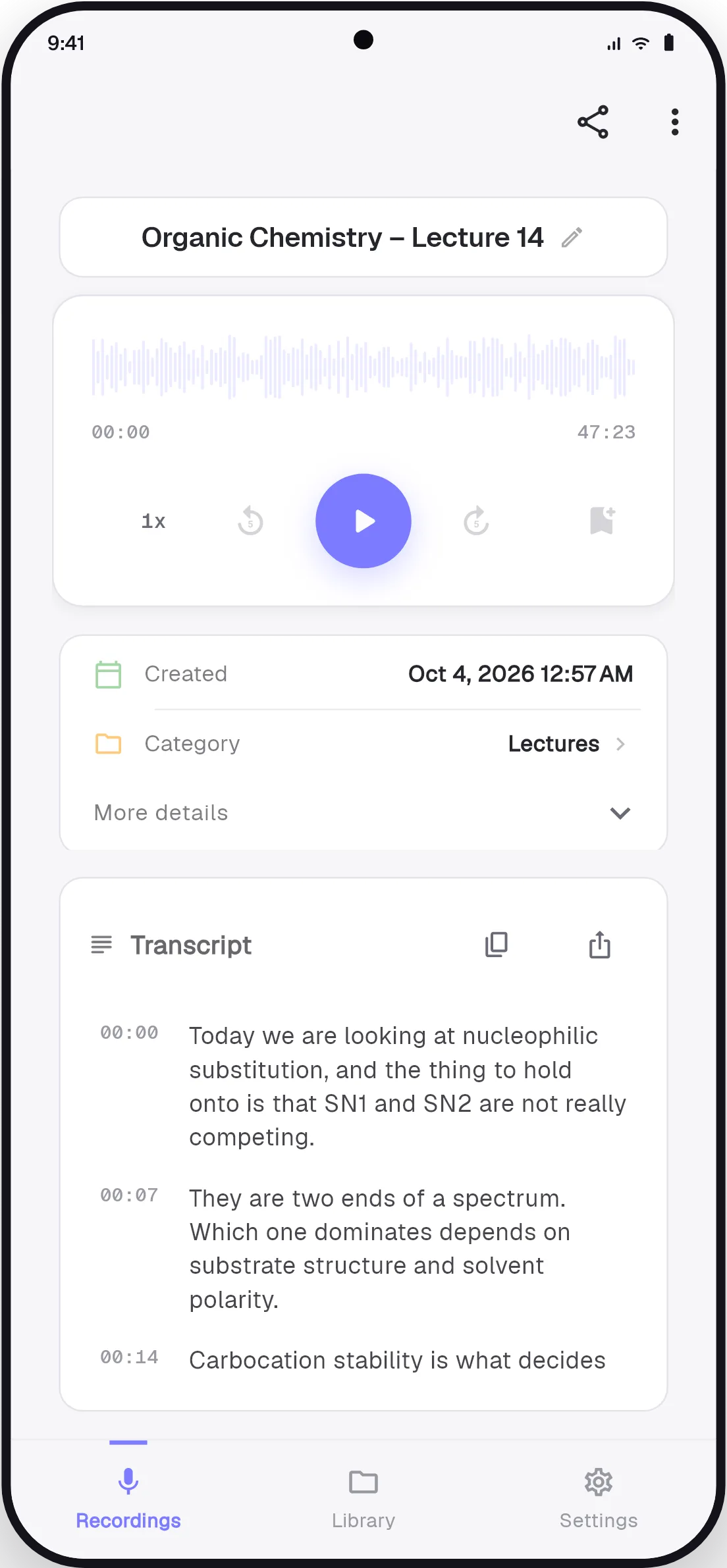
RecVault solves the second half. Transcribe a recording and its words become searchable. Type "mitosis", "elasticity" or "Treaty of Versailles" and go straight to the recording where it was explained, with the matching sentence shown.
Jump to the exact moment
Every line of a transcript has a timestamp. Tap a line and playback starts there, so you can hear the lecturer's own explanation again instead of scrubbing through the audio. Drop a bookmark while recording whenever you hear "this will be on the exam" and come back to it in one tap.
One place for every course
Give each course its own colour-coded category, pin the recordings you are revising this week, and attach typed notes to any recording. Everything stays on your phone, with no account to create and no storage plan to pay for.
How to record and transcribe a lecture
- Tap the mic when class starts
Recording begins in one tap and continues with the screen off, so your phone can sit on the desk.
- Bookmark the key moments
Tap the bookmark button when something important comes up.
- Transcribe after class
Open the recording and tap Transcribe. The text is ready in about a minute.
- Search when you revise
Type any term into search to find the recording and the sentence where it was said.
Good to know
- Transcription currently covers recordings of up to 10 minutes. For a full lecture, start a new recording at each topic change or when the lecturer pauses. Shorter recordings are also easier to revise from.
- Sit near the front. A clear voice close to the microphone gives a much better transcript.
- Check your university's rules and ask the lecturer before recording.